FREE LIVE ONLINE TRAINING · LIMITED SEATS

CNC Setter to Programmer @ No Cost

From Shopfloor Experience to CAD/CAM Programming.

Upgrade your CNC skills with free, live online ESPRITCAM training in Milling or Turning, created for CNC setters, operators and aspiring programmers.

✓ Free training◉ Live online sessions♙ Only 10 per batch⌁ 6 days per course
Apply for a Course →
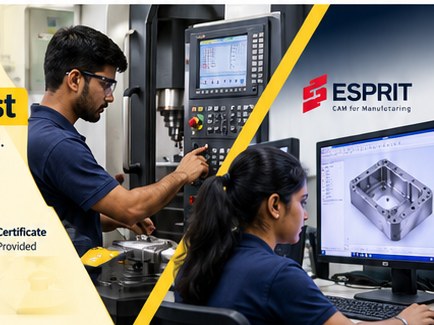
CNC professional operating a machine while a colleague works on CAD/CAM programming
Practical Skills
Better Careers

SkillUp with ESPRITCAM by Millwright

An initiative by Millwright Techserv Pvt Ltd to bridge the skill gap in CNC manufacturing by empowering CNC setters and operators with CAM programming skills.

Learn the fundamentals of CAM programming, explore toolpath creation and NC program generation, and take a step toward new opportunities in manufacturing.

Learn. SkillUp. Grow with Millwright.

Free trainingLive instructor-led sessionsMilling & Turning

Who Can Apply?

  • CNC setters with hands-on Milling or Turning experience.
  • CNC operators aspiring to move into CNC programming.
  • Junior CNC programmers upgrading their CAM skills.
  • ITI, Diploma or Mechanical Engineering graduates with basic CNC machining knowledge.
  • Manufacturing professionals motivated to learn CAM programming.
  • Age eligibility: 20–30 years.

Preferred: Shopfloor experience, basic engineering drawing knowledge and availability for all six sessions.

Selection: Applications are reviewed against eligibility and seat availability.

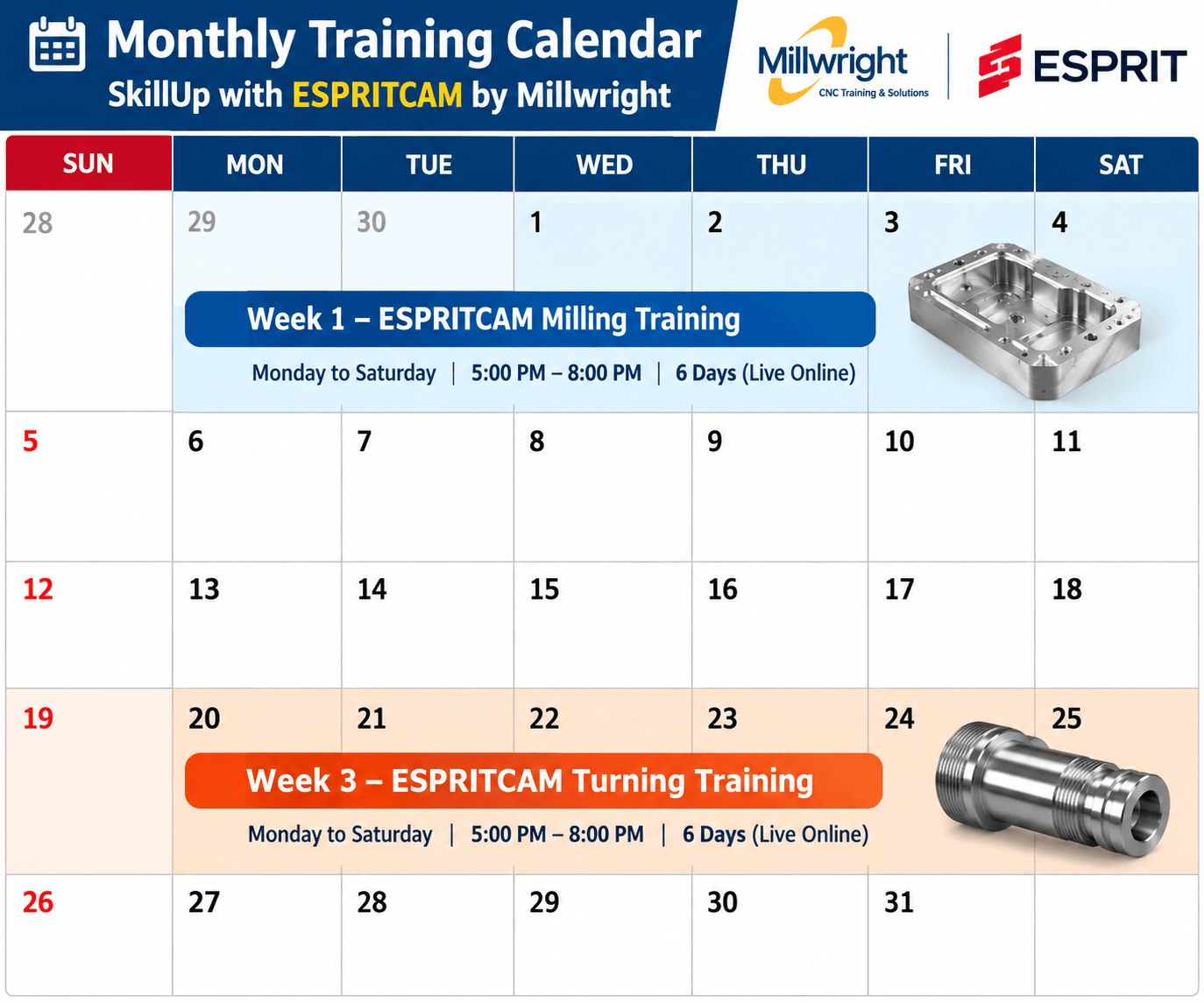
Monthly Training Schedule

Separate live online batches are planned every month. Register separately for each course you wish to attend.

⚙️

ESPRITCAM Milling

First week · Monday–Saturday

5:00 PM–8:00 PM · 6 sessions

🔩

ESPRITCAM Turning

Third week · Monday–Saturday

5:00 PM–8:00 PM · 6 sessions

Training at a glance

  • Mode: Live online, instructor-led
  • Training fee: Free of cost
  • Maximum 10 participants per course
  • Online registration is mandatory
Monthly training calendar showing Milling in week one and Turning in week three

Illustrative monthly calendar. Exact dates will be confirmed for each upcoming batch.

Explore the Course Content

Practical introductory topics designed to build familiarity with ESPRITCAM programming workflows.

CNC milling machine and CAD/CAM workstation

ESPRITCAM Milling

  1. Introduction to ESPRITCAM
  2. GUI, menus and workspace
  3. Basic CAD functions
  4. Machine selection and setup
  5. 2D milling toolpaths
  6. Facing and pocket milling
  7. Wall milling and profile toolpaths
  8. Drilling toolpaths
  9. ProfitMilling strategies
  10. Form tools
  11. Post-processing and NC output
  12. Shopfloor documentation
Learning outcome: Create basic milling toolpaths, simulate operations, generate NC programs and prepare shopfloor documentation.
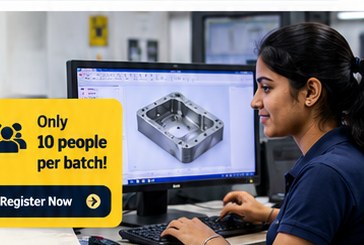
CAD/CAM programming work at a computer workstation

ESPRITCAM Turning

  1. Introduction to ESPRITCAM Turning
  2. GUI, menus and workspace
  3. Basic CAD functions
  4. Machine selection and setup
  5. Turning toolpaths
  6. Facing, roughing and finishing
  7. Grooving and threading
  8. Drilling and boring
  9. Cut-off / parting toolpaths
  10. Post-processing and NC output
  11. Shopfloor documentation
Learning outcome: Create basic turning toolpaths, simulate operations, generate NC programs and prepare shopfloor documentation.

Registration Guidelines

Make sure you can attend all sessions before applying.

Register online

Submit a separate registration for Milling and Turning. You may apply for either course or both.

Wait for confirmation

Only 10 participants are accepted per course. Seats are allocated first-come, first-served, subject to eligibility and confirmation.

Attend all six sessions

Training runs live online from 5:00 PM to 8:00 PM, Monday through Saturday in the scheduled week.

Apply for SkillUp with ESPRITCAM

For registration, contact Millwright and request the current online application link. Your seat is confirmed only after the team contacts you.

Click to Register

Certificate & Attendance Guidelines

  • 100% attendance is required across all six live online sessions.
  • Your webcam must remain switched on throughout every session.
  • All sessions are live; recorded sessions will not be provided.
  • Eligible participants receive a digital Certificate of Completion in PDF format from Millwright Techserv Pvt Ltd, at no cost.
OPTIONAL PACKAGE
₹999

Optional Learning Package

The training itself is completely free. Participants may optionally pay ₹999 for:

  • Printed Certificate of Completion.
  • Three-month ESPRITCAM learning version, subject to software licensing terms and availability.
  • Practice exercises to reinforce CAM programming skills.

Note: The package is optional. It is not required to attend the course or receive the eligible digital PDF certificate.

Ready to SkillUp?

Build your CAM programming skills with Millwright Techserv.

Free training · Live online · Only 10 participants per course

Click to Register →